HD-12 System test cycle

On the system I am replacing there was a convenient way to run all zones for a set period of time, like 2 minutes. This allowed me and maintenance people to walk the property and check the heads for leaks, settings, etc. Is there a simple way to do this with the HD-12? If not, why not build a test cycle into the software?
-

Hi, Dave
Unfortunately, there is no way to simultaneous run all 12 zones.
You can use the iPhone or Android RainMachine mobile apps and simply manually start/stop each zone and find the issues / test your irrigation system.
Or, you can:
- create a simple program,
- set it as Inactive,
- uncheck the "Weather-Adaptive Watering" option so the zone times will not be affected by weather data,
- set each zone to run for a "Custom" 2 minutes with a "Delay between stations" at your convenience.
- Manually start the program when you want to test your irrigation system.
Thank you, Dave.
RainMachine Support. -
You have given me an approach, thank you.
I wasn't seeking a simultaneous way to run all stations at once, but a manual start were all stations ran for a selected time in sequence. Station 1 runs 2 minutes, stops, then Station 2 runs 2 minutes, etc.
From a user interface this seems like an easy preset program in the software, where the user does not have to create a program.
But as I said, I know what I need to do based on your response.
-
I created this program per your suggested instructions. The concept runs well from a Web interface. However from my Android 7.0 Samsung Galaxy S7, I cannot control an individual zone.
From the WEB interface, I run the program, then I can select the current zone and stop it. The next zone starts. All is well.
From the Android, I run the program, the first zone displays and counts down, but I cannot stop the zone and move on. Is this by design or is this a software glitch?
-
Hi, Dave
We couldn't replicate this on our side using the latest RainMachine Android app.
After a program starts you can open the Zones screen and on each zone card, you should see the STOP button. Tap on it and the zone will stop, even if it runs or doesn't run at that moment.
Thank you.
RainMachine Support. -
I have attached images of
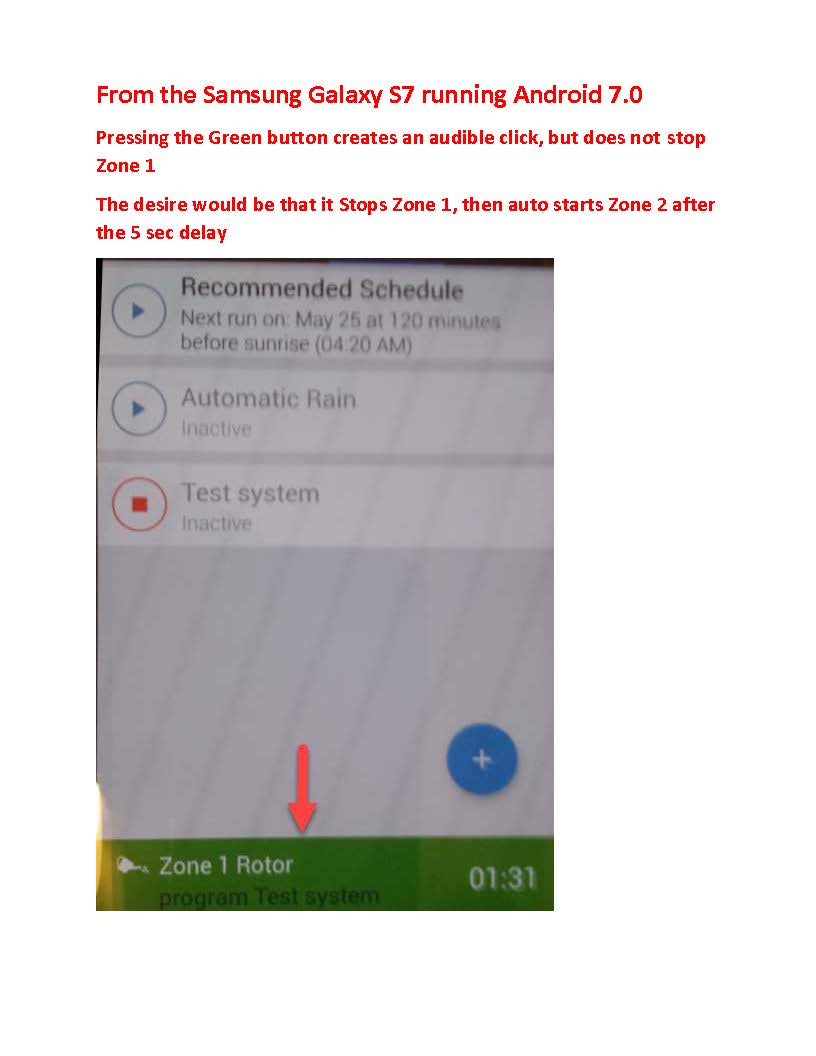
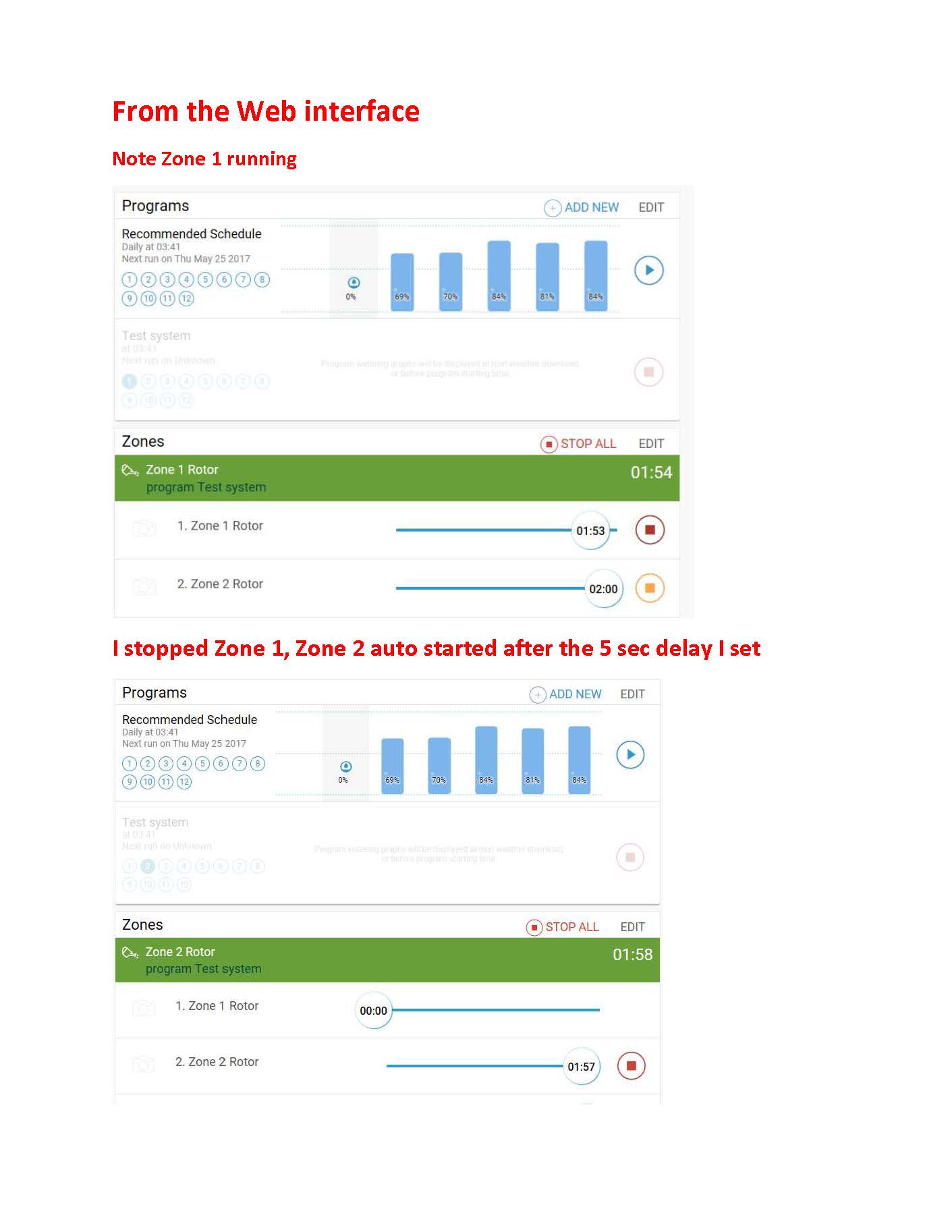
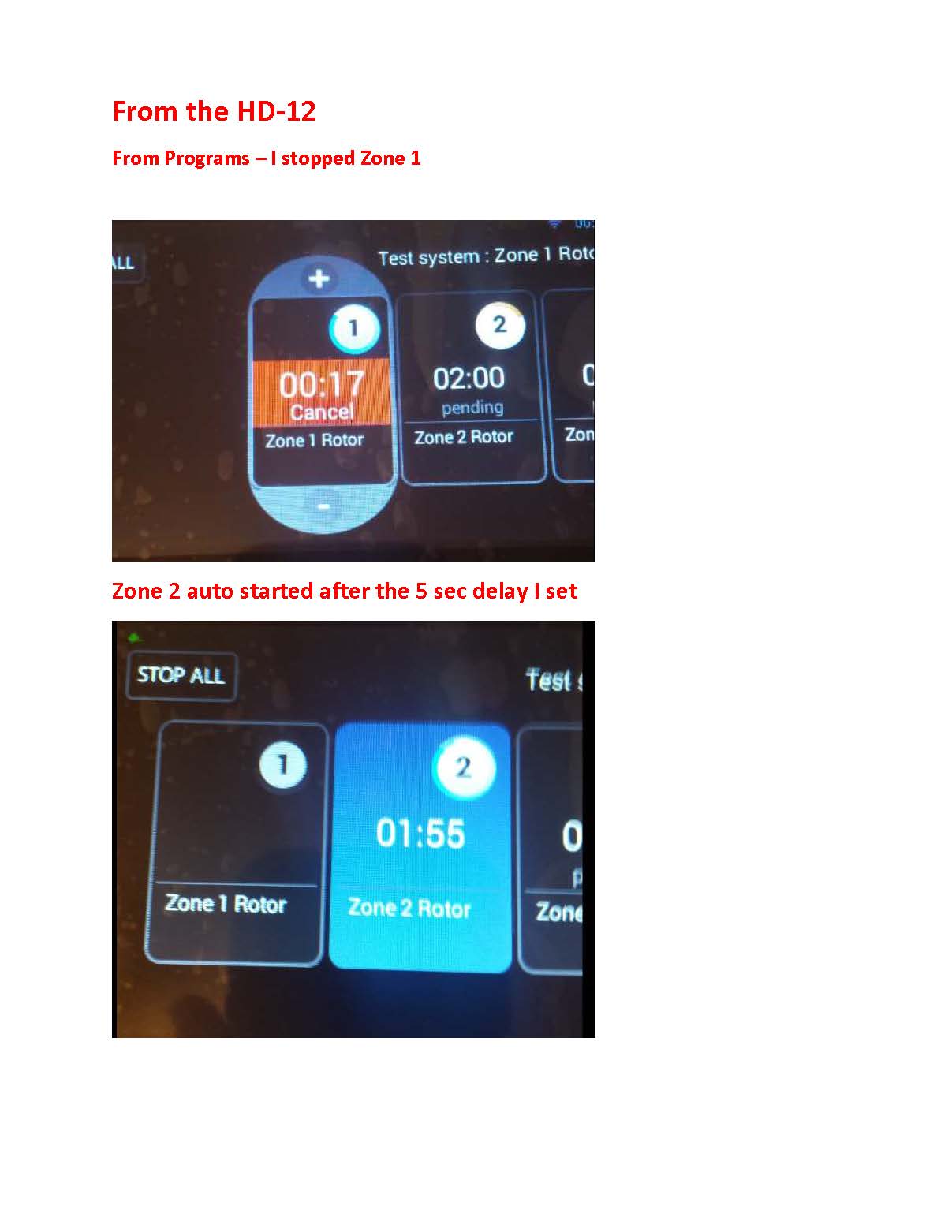
a pdf that shows images of the three interfaces. The WEB and the HD-12 unit itself both cycle zones when running programs, then stopping a zone. The next zone auto starts.In the case of the Android, I have to stop the entire Program to stop Zone 1.
Maybe it is designed that way, it makes no sense if it is. As a user I want to stand in the yard to trigger the zones when testing. While the WEB interface does that, I do not want to carry the laptop into the yard, nor do I want to go in and out of the garage to cycle the zones. But maybe I am doing something wrong.
I think I am running your beta, no one answered my question about me attempting to run beta.
I can send video, but the files are too big.
Dave
-
Hi, Dave
We are sorry for the misunderstanding that we have here.
That's how the RainMachine Android and iOS applications suppose to work. That green notification is telling you that something is going on with your system. In your case, you manually started a program and a zone is currently running.
This is a link to the Programs screen because you manually started a program. So, if you were in another application screen like Dashboard or Settings you will see that on the bottom so you will know it's happening. If you tap on it should take you to the Programs screen, not to stop that watering activity. And we did not add a sound notification for that. This is the S7 behavior.
To do what you want just go to Zones and tap on STOP red button of the Zone that is currently running and in your case automatically will start the next zone from watering queue of the program that you started.
What you were doing wrong, or what we didn't succeed to show and to make it more understandable is that the bottom notification is just a reminder that something is going on and it is a link to the screen that started the watering activity or watering restriction so that you can access and make the required changes to that activity.
But to accomplish what you want - just go to the Zones (Manual Watering) screen and stop the zones by hand as you do on web and local interface.
Thank you for your understanding, Dave
RainMachine Support
Please sign in to leave a comment.
Comments
7 comments