[Bug] Rain amount issue

Hi there,
I have an issue concerning the rain amount. I'm using weather data from WUnderground with forecast correction and a weather station only a few metres away from here.
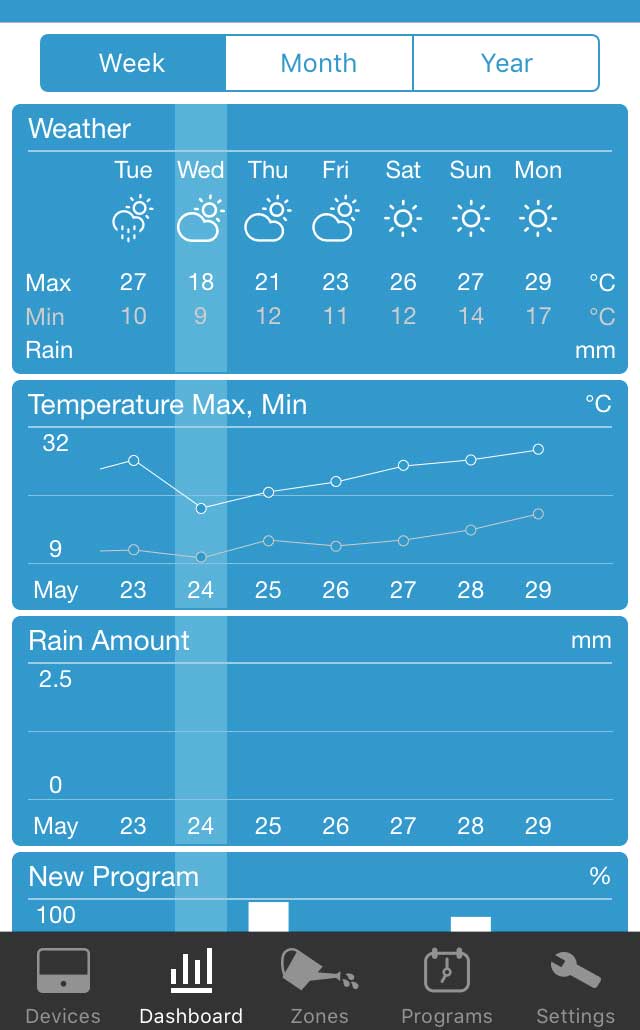
Yesterday on May 23rd we had a rain amount of 5.8mm. WUnderground shows that correctly. Rainmachine shows it in some screens, but in some not. Problem occurs on Web Interface and iOS. I even just installed latest beta version, but still the same. Look:
Here it's alright:
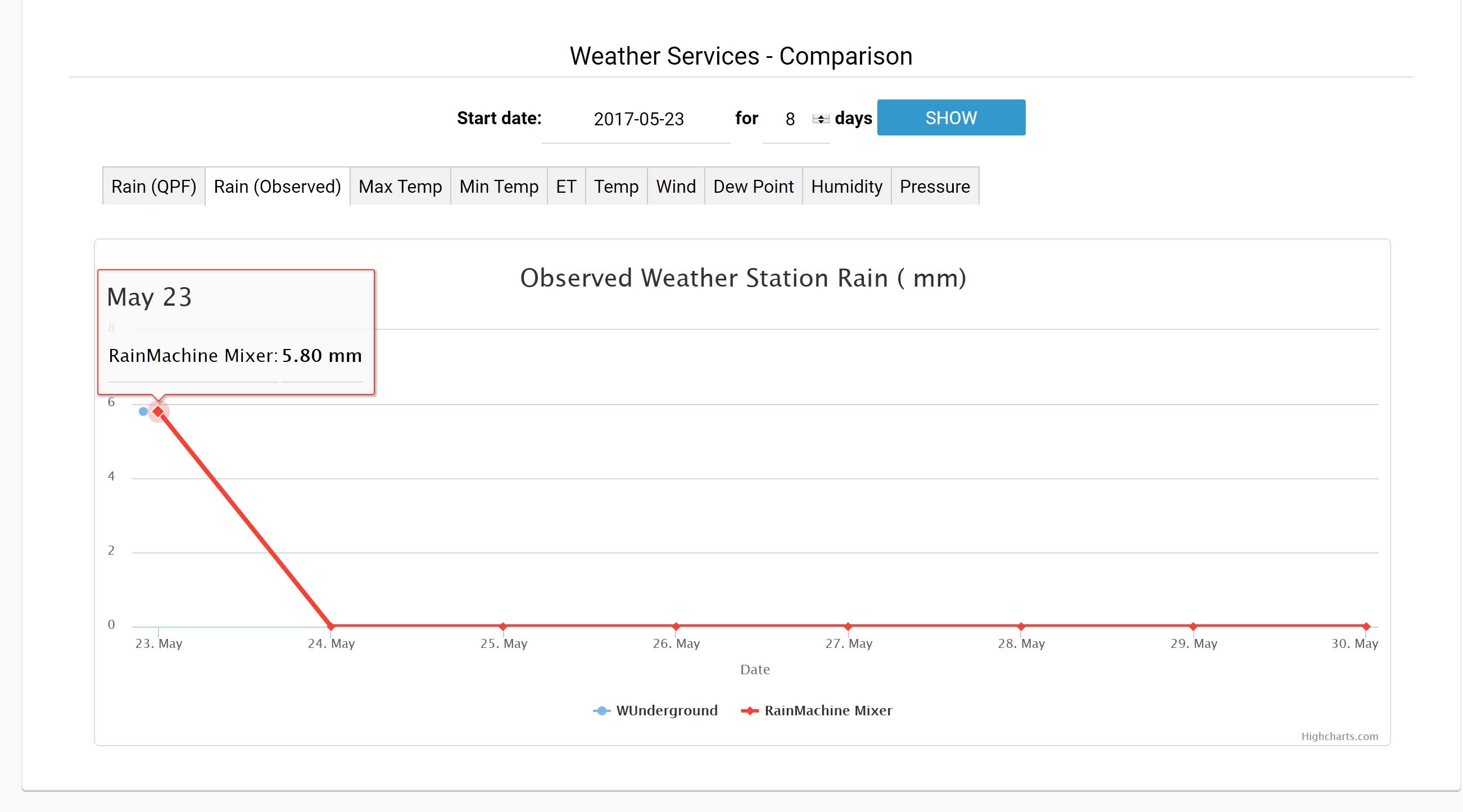
Also here it's fine.
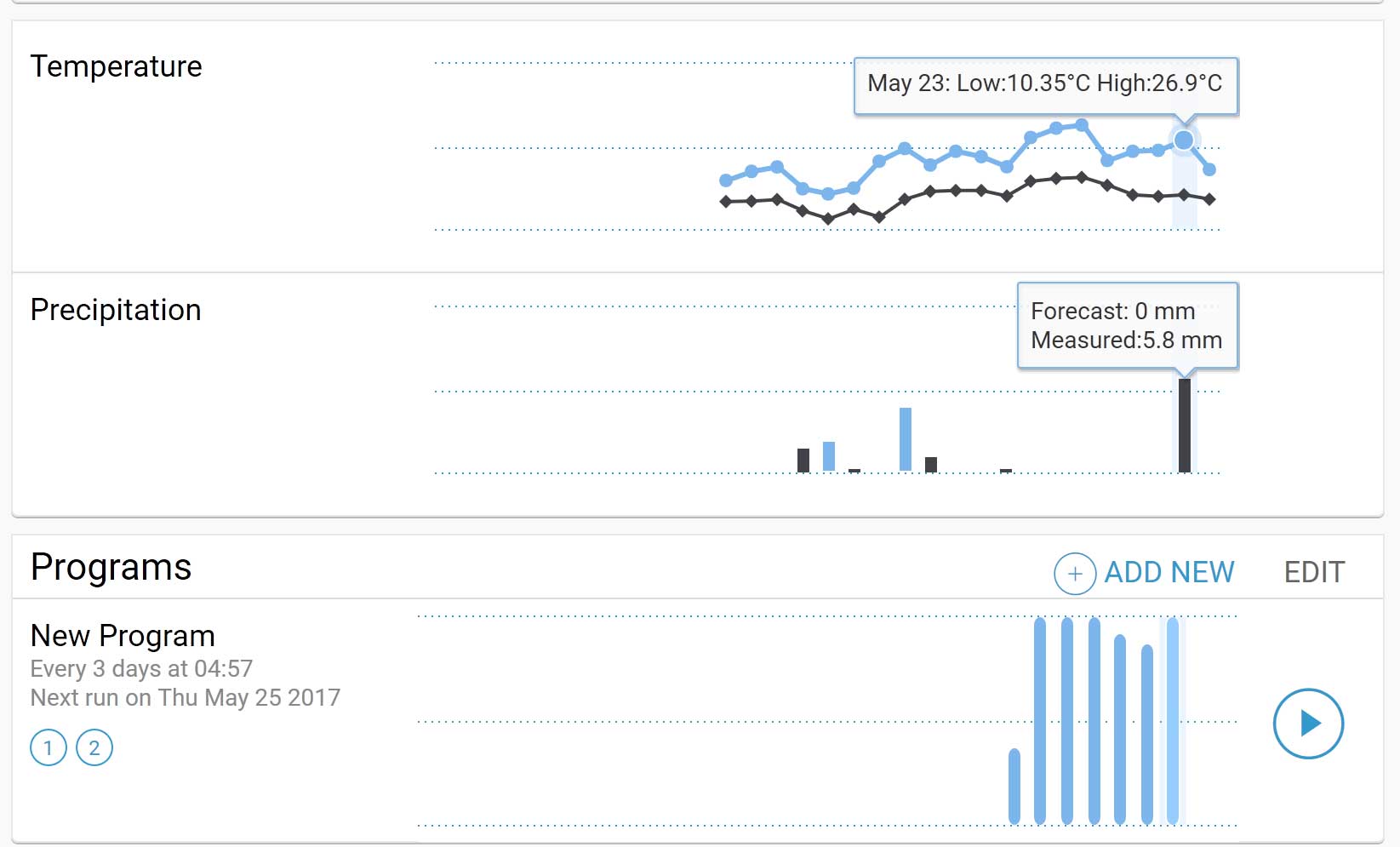
But in the week view the rain has disappeared.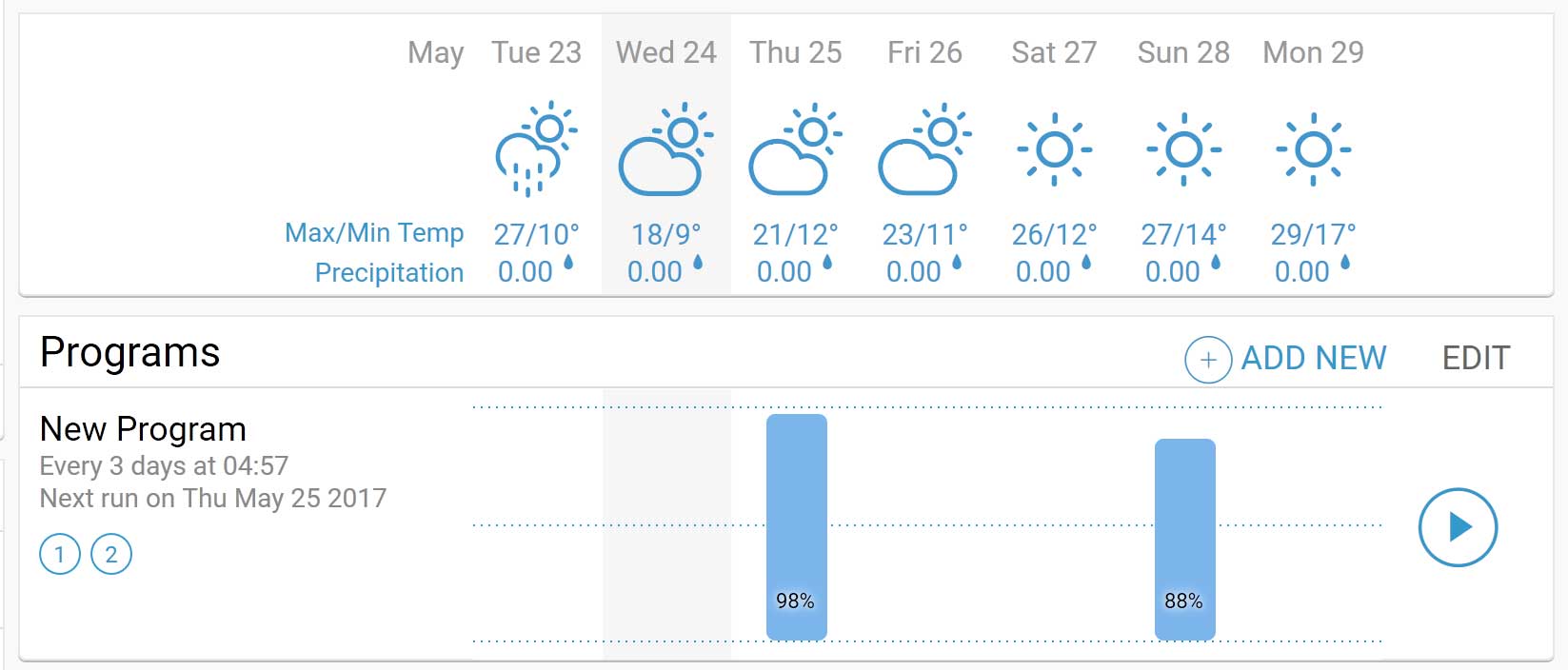
Also iOS app doesn't show rain:
-

Hi,
The RainMachine dashboard only shows, for the Week view, the precipitation forecast value *not* measured value because not everybody has a WUnderground service enabled.
If we ever change the dashboard weather layout we can add both QPF (forecast) and RAIN (measured) on Weekly view like we do on Monthly view.
-

+1 - I agree that it is confusing/misleading for the Android interface to show only the rain forecast when the Web interface shows personal weather station data. Presumably, and hopefully, the Rainmachine is using the personal weather station data from my Weather Underground account, but when one looks at the Android interface, that's certainly unclear. What owners will want to know is the basis of future watering, not inaccurate rainfall forecast history. At a minimum, please update the Android interface to indicate that rainfall history is a NOAA rainfall history and note that WU rainfall data is used by Rainmachine when a WU subscription is provided (assuming that this is the case...and I certainly hope it is, or I wasted a lot of money on a local weather station).
-
I turned off NOAA at one point, but my weather station went offline for a few days when I was out of town, and I ended up having the lawn watering in the middle of a rainstorm, not knowing that it was running until I looked at the data when I got home. I just expected that it would have suspended due to rainfall and didn't check when the rain event was occurring. At that point, it occurred to me that it was better to have more than one source of data. I just want to be sure that RM chooses the local weather station when it's online, which was part of my request above.
-
Hi Bill,
At this moment, to add more than 1 WU station you need to upload a new WU parser which was edited with a new name (eg wunderground2-parser.py and the class inside called Wunderground2 ).
You can download an already modified file from here: https://raw.githubusercontent.com/sprinkler/rainmachine-developer-resources/master/sdk-parsers/RMParserFramework/parsers/wunderground2-parser.py
For the third one you will have edit the file and replace WUnderground2 with WUnderground3 and rename the file to something like wunderground3-parser.py
-

Just an update about adding WU scripts.
It worked GREAT! HOWEVER, if using a windows box to upload, change the .PY extension to .TXT . Otherwise you will get an error in RM.
I added 4 more local weather stations, along with my station and Forecast IO, so if one or more go down, at least I have fallback stations.
-
Certain stations or WU itself *sometimes* report solar radiation in other unit than minute watts per square meter, leading to bad values being registered which in turn raise the evapo-traspiration by a lot. Usually after enabling this option it's recommended to watch over the values of evapo-transpiration (a value >10 is a good indication that solar radiation is bad)
-
@Charlesajouri... there is a post as to this problem and it is due to windows. This solution works (renaming the .PY to .TXT).
What OS are you using when you upload python scripst?
@Nicholas.... I will watch the ET to see if I get weird values that don't make sense. Would this also be true for stations that do not report solar radiation... strange values of ET?
I guess the safest thing to do is look at the station's data on WU and see if they are reporting solar radiation, and disable it in RM if they aren't. Then there won't be any questions.
-
I am also.
This is the thread that explains the problem:
The response was:
As you probably already found out, it's a Windows only issue since it doesn't send content-type at all. I'm going to add your solution here if others came across the same issue
which is to rename the *.py file extension to *.txt.
What browser are you using? I am using Firefox 56.0 64 bit. Another problem I have is that when I try and input any information using the webui, I cannot see my text but the cursor is in the box and half a line high. I have to use my tablet or "guess" at what I have typed.
-

Bill, I looked into this issue a bit further. Here is what I think is happening (Nicholas may want to chime in as well).
It seems to all depend on how you access the Rainmachine; directly using the ip address or the URL. If you access the machine via the URL (https://my.rainmachine.com/s/C3wvde80/ui/) then uploading the .py file fails but so does the .txt file (at least in my case).
If you access the Rainmachine by typing in its ip_address directly then uploading the .py file works. Of course you need to know the ip_address given to it by your router. In my case I assigned a static ip_address to the Rainmachine in the router (I do that to all devices connected to my network).
When I added the WU stations I followed the steps in one of Nicholas' postings;
Step #4 in that post is what I'm talking about. Since I knew the ip_address I entered it as requested in that step and the file uploaded with no issues. I did not know that entering the URL instead of the ip_address would create an error until I tried it today to debug the issue you are having.
The image below might help explain further,
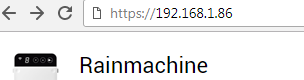
The message I get after the file uploads successfully:
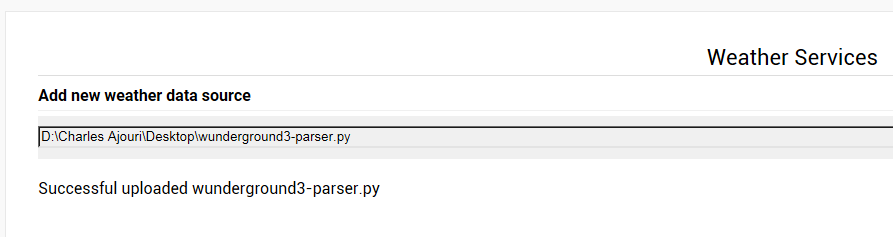 I verified this works on Chrome & IE. Could not get it to work on FF 56.0.1.
Hope this helps.
We need to have an active Rainmachine community to help improve the product. Sometimes I take a look at Rachio's forums and they seem to be more active there. Maybe because they have a lot more problems :)

Please sign in to leave a comment.
Comments
20 comments