What do the letters mean in the Home section?

When I log in to my HD-12, in the Home section there is a graphic view of the anticipated RM activity over the next week. Each of the days has a letter - c, a, p or d - at the top of its column and there is a letter Q at the end? What do these letters mean?
-

Hi, those letters should not be visible to you.
Those are the corresponding letters for the icons we used in the interface. A simple reaload of the browser window should load the icons just fine.
Can you please tell us when you see those letters, when you access the RainMachine web interface remotely through https://my.rainmachine.com or when you access it locally using the RainMachine Local IP address? Also, what browser and operating system you use?
Thank youRainMachine Support
-
I see those letters on the my.rainmachine.com login and on the local lan (port 8080) login.
I have not taken any Zone photos.
I am using the latest Firefox browser on Windows 10. I have several privacy and cookie addons active on Firefox.
Using Chrome, I do not see those letters.
I also see another difference when using Chrome vs. Firefox. In Chrome, there is a red circle with the letter i inside it indicating restrictions on those days relating to my rain sensor. The display in Firefox, instead of the cirlcled "i", has just an inscrutable diagonal red line. Hovering over that line does properly display the tooltip concerning the rain restriction.
-
Hi, Ed
We think that those add-ons you’re using are blocking the style font to be properly imported by the CSS stylesheet. All the icons you are see under Chrome are dinamically imported from the RainMachine font that web app uses. It has nothing to do with cookies.
So, unfortunately, you cannot get the proper experience on Firefox if that font is not used.Thank you,
RainMachine Support -
As Firefox is my preferred browser, I am hoping to run this issue down a bit further. I have done this:
1. Changed the Firefox font setting to allow websites to use their own fonts.
2. Cleared Firefox browser cache and cookies.
3. Opened Firefox without any addons (including privacy addons and cookie addons).
4. Set Firefox to accept all cookies and to keep them until they expire.
Even with these changes, the RM web login continues to display the letters in the Dashboard cloumns, rather than the weather icons. And the information "i" red circles for rain related restrictions do not properly display in the daily columns.
What could be the reason for this misbehavior with Firefox? Seems to display correctly in Chrome and Edge. Would really like to get a fix for this, other than use another browser.
I also notice that with Firefox, all of the RM information is displayed in a single wide column format, with some unused space at the left and right of the browser page view. In Edge, the same RM information is formatted to fill the entire browser window width, so some aspects are displayed to the side of other aspects. Why would this be?
-
Hi, Ed
We tested on our side and everything looks good. The menu and weather icons are loaded as it should and also the layout of the page is correctly displayed.Latest Firefox web browser and Windows 10. See attached (right click on the image and select Open image in a new tab, to view 100%).
We logged in remotely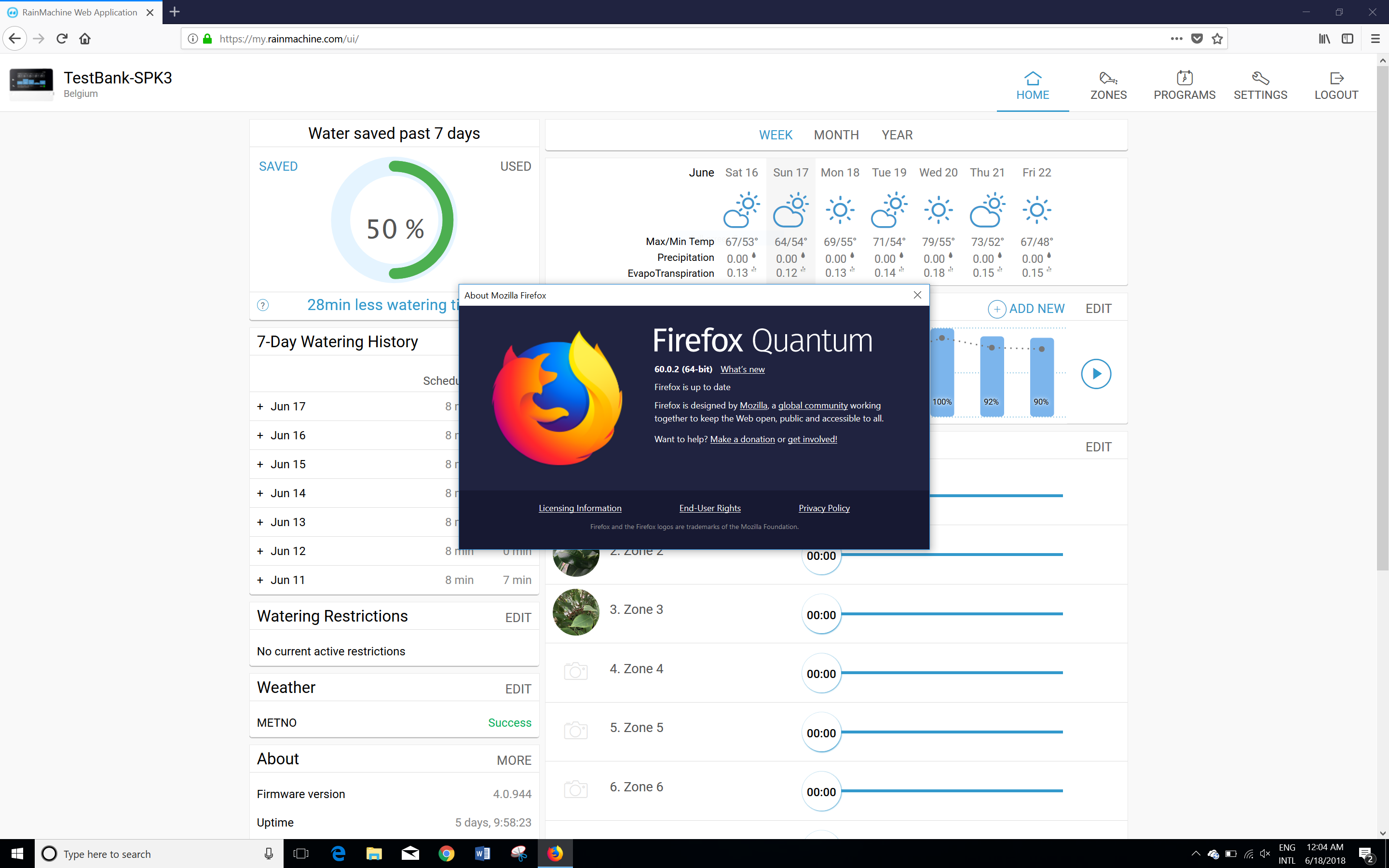
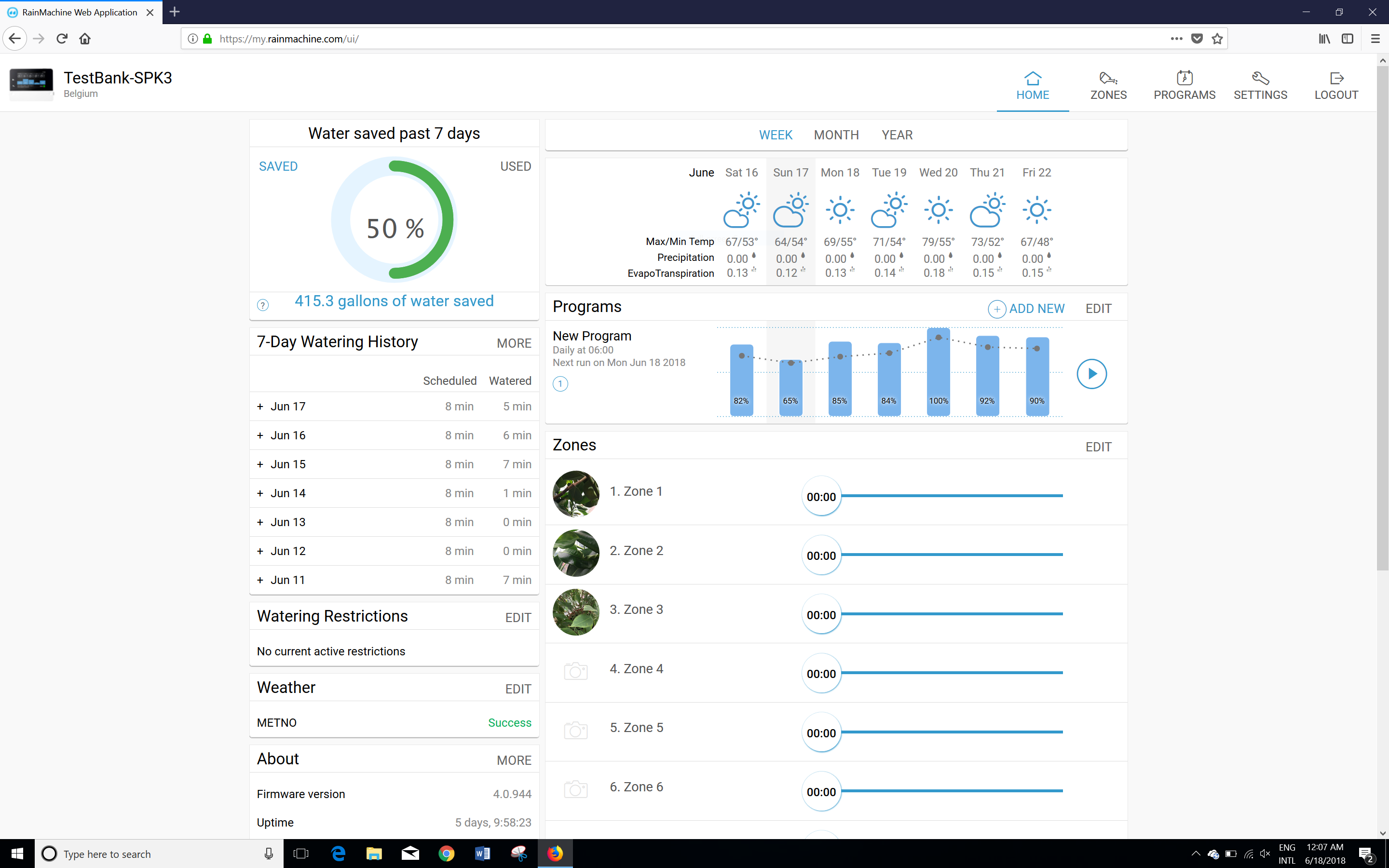
Can you please tell us what do you see in the Firefox console under the Console tab?
We want to know what type of errors do you get.
Thank you, Ed
RainMachine Support -
When I use Firefox with all of my addons active:
The Firefox console shows this:
Showing chart for program: Daily - AM - all zones
ET0AVG: 5.000000
I am seeing an error line for each zone (1 through 12) that says "Cannot download zone image" followed on the same line by "rainmachine-min.js:68.425".
I am also seeing an error line for each zone that says "Cannot download legacy zone image" followed by "rainmachine-min.js:69.96".
-
I tried Firefox with all addons disabled and the RM web display was still incorrect. I then created a new Firefox profile (which includes no addons) and the RM web display was correct.
So, there must be some setting in my original profile that is causing the problem. I'll have to investigate further. If I can't find the issue, I'll use the new profile and build it up with my addons and preferences - hopefully without the RM display issue recurring.
-
First, I had looked at the "Web console" in Firefox. When I looked at the "Browser console", I did see a bunch of font/style errors.
Second, I have created a new Firefox profile and migrated all of my addons and other customizations. I am happy to report that the RM display is now correct. No more of those letters showing in place of graphic weather icons. So, something must have damaged my original Firefox profile.
Thanks for the support on this.
-
Further report:
Playing with my new Firefox profile, I have isolated the issue. There is a section in the Firefox settings allowing the user to control the default font shown on displayed pages. There is also a checkbox that permits the user to allow websites to use their own specified fonts rather than the Firefox user's default font. When the checkbox is set so that Firefox overrides the web page's specified font, the RainMachine page will not display the weather icons and instead displays the single letter.
So, I am left with the choice of either permitting all web pages to display in various fonts chosen by them (rather than my preferred font style), or having abstract letters display instead of RM's weather icons.
-
Hi, Ed
Yes, you're right. If your browser blocks loading the external fonts (our font is saved on the device itself and loaded from it, not from internet) then you cannot have the best experience with our RainMachine web application. Having an icon font increase the loading speed, than having to load graphical icons, not to mention that will help with the local storage quota.
We understand that you do not want to load the external fonts into your Firefox browser, but that's what we are using now for our RainMachine web app UI.
Thank you for your understanding, Ed
RainMachine Support -
So, I've been trying to find a workaround for this issue. It has been suggested that the Stylus addon for Firefox may allow overriding of the default browser font for specific URL's.
Is there specific .css code that sets the RM interface font style and icons? If so, I may be able to create a userstyle for Firefox to load the appropriate RM font style when logging in to my.rainmachine.com (or locally). Then perhaps the RM icons would display correctly. Could this .css code be made available to me?
Thanks.
-
Hi, Ed, Cat
Sorry for the late reply.
The icons are not created as CSS code they are embedded into a font file and loaded through the css. Each letter corresponds to an icon from the font file.
For now, this is the best solution for keeping the impact on the local storage of the RainMachine devices as low as possible.
Thank you for your understanding,
RainMachine Support

Please sign in to leave a comment.
Comments
17 comments