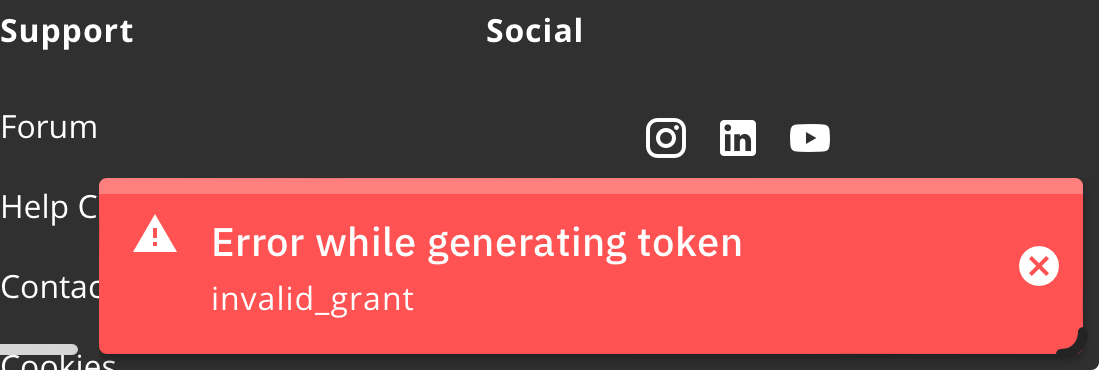
Failed to get oAuth token NETATMO (Authentication failure)
Fixed
Good afternoon!
PRO 8 Module Version 4.0.1163
Does not connect to Netatmo module. Authorization error. Login\password checked, reset to default made.
HTTPError: HTTP Error 400:
2022-02-16 15:46:21,734 - ERROR - netatmo-parser:274 - Failed to get oAuth token
2022-02-16 15:46:21,743 - ERROR - netatmo-parser:79 - Error: Authentication failure
2022-02-16 15:51:21,846 - INFO  - netatmo-parser:53 - NetAtmo Parser v1 starting...
2022-02-16 15:51:21,855 - INFO  - netatmo-parser:74 - Doing full auth
2022-02-16 15:51:21,865 - INFO  - netatmo-parser:309 - Getting data from https://api.netatmo.com/oauth2/token
2022-02-16 15:51:22,595 - ERROR - netatmo-parser:321 - HTTP Error 400:
Traceback (most recent call last):
  File "./RMParserFramework/parsers/netatmo-parser.py", line 318, in postRequest
  File "/usr/lib/python2.7/urllib2.py", line 154, in urlopen
  File "/usr/lib/python2.7/urllib2.py", line 435, in open
  File "/usr/lib/python2.7/urllib2.py", line 548, in http_response
  File "/usr/lib/python2.7/urllib2.py", line 473, in error
  File "/usr/lib/python2.7/urllib2.py", line 407, in _call_chain
  File "/usr/lib/python2.7/urllib2.py", line 556, in http_error_default
-

Hi, all
Sorry for the delay. We had to keep an eye and to test the service before releasing the fix.
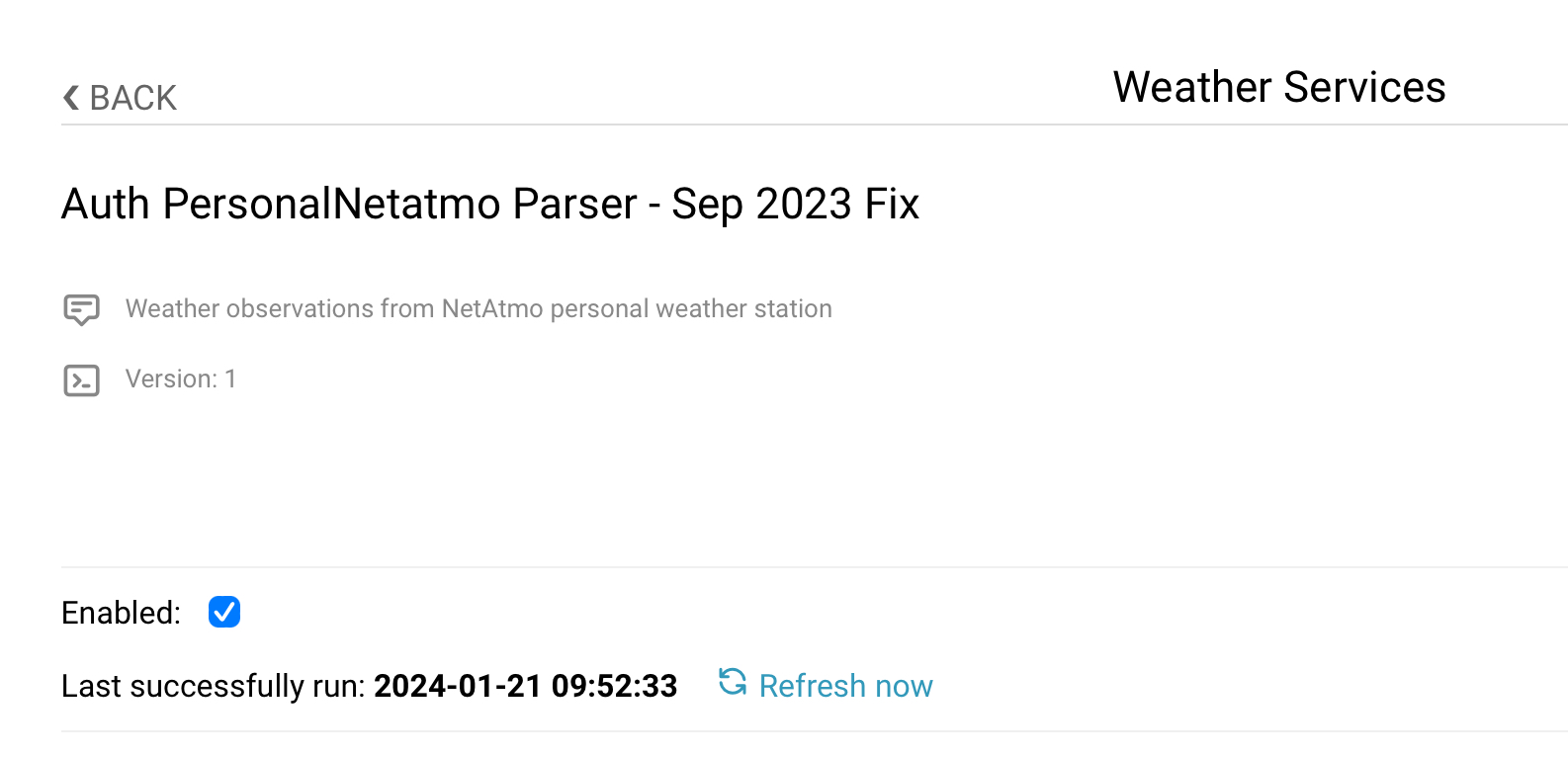
Follow this link to download, upload and set up the new RainMachine NetAtmo Weather Service with September 2023 fix applied.Please make sure you have disabled the previous version of the NetAtmo Weather Service before uploading the new one from the ZIP archive listed in the article.
The NetAtmo modules listing could take some time to be fetched. If it doesn't show up under the availableModules please update your client_ID and secret on NetAtmo dev page and use the new ones.Thank you for your patience and understanding.
Let us know if the fix is working for you.Shout out to our community member (Christian Zagrodnick) for the contribution
https://support.rainmachine.com/hc/en-us/community/posts/4433188885271/comments/16614816373271Thank you
Julian
RainMachine Support -
It works.
Correct the parser and instructions.
The mailing address and password are no longer needed.
And in the parser, you automatically (!!!) turn on the check box for using useSpecifiedModules. If the check box is not cleared, then the parser will not work without adding MAC addresses. Many will not notice this check box and the parser will not work. -

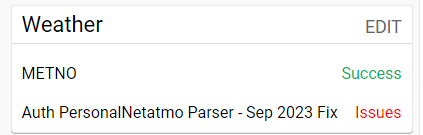
Unfortunately it does not work on my Mini 8. Did everything according the instructions. Created a new Netatmo App and all the tokens. Last run still says NEVER. And the parser says: Retrying: Failed to run
I do own two Netatmo stations for different locations that are in my account
-
Hi, Marcus
The AUTH fix success is when the NetAtmo modules are listed and you can add their MAC address so the service will use their data.
If it continue to say "Never" on the service status, then the connection with the NetAtmo API is not done.Sometime the connection with NetAtmo API takes longer or it doesn't get through at all. This has nothing to do with the RainMachine device model.
We tested and the reset of the client_ID and secret for the NetAtmo dev app had the success in our tests.
Please try to remove/uninstall the NetAtmo weather service that you manually installed and install the one that it is already listed under Weather - Community. It has the same fix, but there is no need to manually install the one from the ZIP archive.
Please try again and let us know if it works.Thank you
Julian
RainMachine Support -
Hi Julian,
thanks for the quick reply. After returning to the parser about one hour later it reported success. So it can indeed take quite a while until everything works.
As I do have two stations on different locations I need to use specific modules.
The separation is as follows, correct?
05:xx:xx:xx:75:94,02:xx:xx:xx:46:64,
Thank you
Marcus
-
Hi, glad it worked in the end.
If the locations are far away from each other, then use only one module for one location.
RainMachine #1 - location #1 - use one module
RainMachine #2 - location #2 - use the other module
For the precise weather data, use the modules that are closer to your RainMachine location and garden.Hope that helps.
Julian -
Hi Julain,
thank you.
I am using only one location.
My question was regarding the separation of two different modules (rain and temperature) in one location in the respective parser field.
Did I enter these two modules correctly, separated with comma and without any space inbetween?
Regards Marcus
-
Unfortunately, we have to raise the topic again.
Authorization does not pass and weather data from Netatmo is not updated. Checked several times. And he updated keys and tokens and deleted the parser and installed it again. Netatmo may have a common problem again, but auto-watering is not yet needed in many regions and users simply did not pay attention to the problem.... ( -

Will following Message from Netatmo effect the way of synchronizing personal weather data from netatmo to my rainmachine by the end of march?
„Authentication update (second notice)
This is a reminder regarding our authentication update following the release initially planned for last fall which we decided to postpone in order to give our users more time.
Dear Netatmo developer,
Today, when you refresh an Access Token using the associated endpoint https://api.netatmo.com/oauth2/token, the Netatmo servers respond with a pair of tokens: an Access Token and a Refresh Token.If the previous Access Token is still valid, the newly returned access token is identical but has an expiration time extended by 3 hours.
The Refresh Token is not renewed.
Starting May 29, 2024, this behavior will change to comply with the OAuth2 Authorization Framework RFC recommendations (section 10.4) and improve the security of our users' data.
When refreshing the tokens, the Access Token and Refresh Token will be different from the previous ones and the old tokens will be invalidated.
What does this mean for you?
If you already store the tokens returned by the API when refreshing your tokens, this change will not affect you.
If you do not update the tokens when refreshing them, your users will be logged out because the old tokens will be invalidated.
If for a given user, you have stored the same token in different places (for example: an application and its widget), you must have a way to synchronize them because the new token will be applied for the entire application.
Sincerely,
Legrand - Netatmo - Bticino“


Please sign in to leave a comment.
Comments
106 comments