Web interface tool-tip in the way of manually setting a zone timer

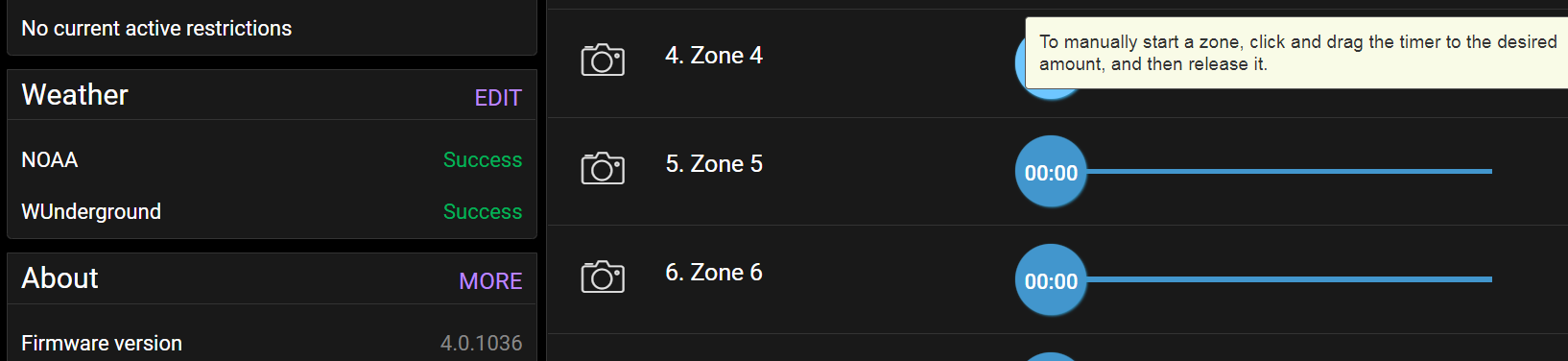
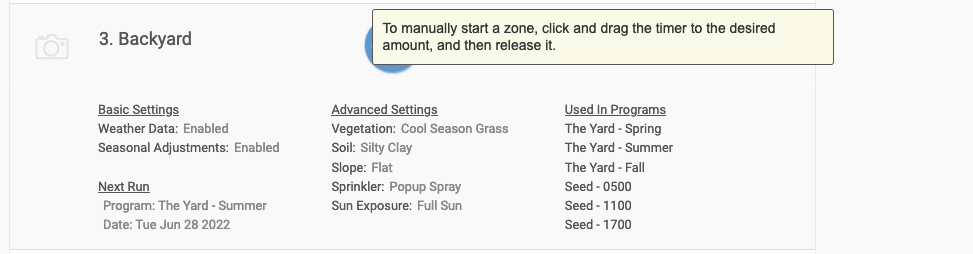
I mostly use the web interface on my Mini-8. Sometimes I'd like to do a manual run of one zone, but I can't see what time I'm setting because the tool-tip blocks the numbers, as shown below.
This happens both on desktop and mobile browsers:
-

Hi Marc,
Please use https://my.rainmachine.com/web-ui/ and you shouldn't have the tool-tip problem anymore.
Regards,
Christian -

I have the same issue and i use the web interface.
Just go to zones with your web browser and try to set the time to run for any zone, the tool tip is completely i the way of the time in the circle.
I think this "feature" was added in a firmware update at some point because it didn't used to be that way. There ought to be a way to turn it off or just remove it entirely as its not even useful. I can't take a screen shot because doing so causes the tool tip to disappear.
-

Hi, @all
We really, really sorry about this.We understand the discomfort that this ugly bug issue creates.
This shouldn't slip our testings and we are very sorry about that.
A quick workaround to completely hide the tooltip message on each browser session is to
- open web browser Console
- look for Style Editor
- select (if not automatically selected the ui-min.css or ui-dark-min.css style sheet depending which theme you are using)
- scroll all the way to the line #2280 (ui-min.css) or #2322 (ui-dark-min.css) and add/type thisdisplay:none;
exactly right under
[zones-tooltip]:before,
[zones-tooltip]:after {
See attached screenshot from Mozilla Firefox web browser Console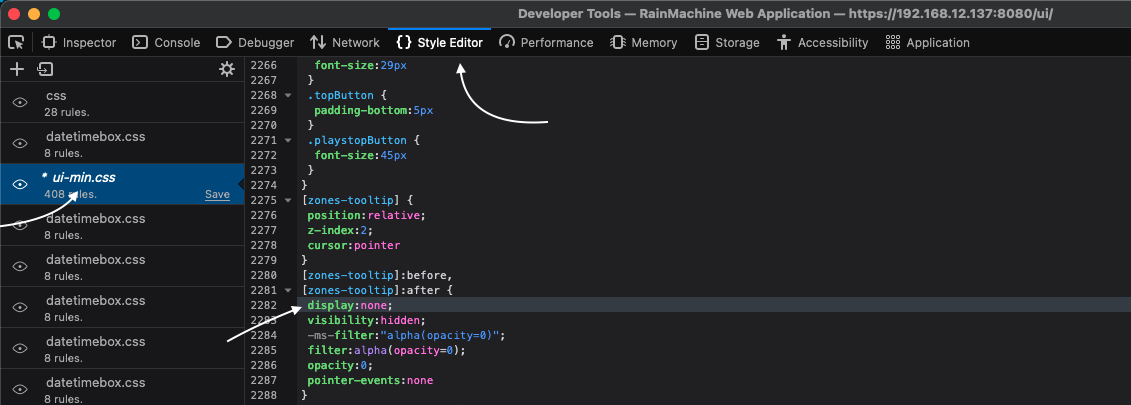
Close the Console window and use the RainMachine Local Web app in your browser without the helping text showing up.
Note: This workaround is not permanent. If you exit or refresh the browser session, you'll need to do it again the next time.It has been fixed in the style sheet code released on Cloud Web UI app, and also the fix is available for the Local Web UI app, but a full firmware update is required since the Local Web UI app is saved on the device itself. This will require time, more testings on our side, a Beta release, reported bug fixes, and then full deploy for all RainMachine devices.
Thank you all for your understanding.
Julian
RainMachine Support -
I tried the workaround for one session and it works but as I understand your post, I need a firmware update to get the permanent fix.
So, i went to Settings / About and it checked for firmware updates but none are available.
Firmware version
4.0.1036 (No updates)How do I get this update?
Can this be permanently fixed by hand if i ssh into the RainMachine itself? I seem to remember I could do that but not totally sure. I believe its a linux system, right? I run linux as my daily driver so if I know the location and filename I can edit it if vim is on the system.
-

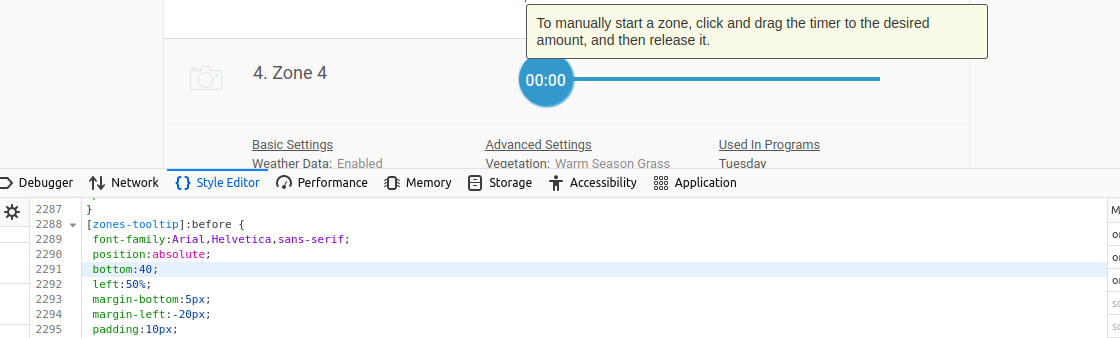
Web Console Style editor ui-min.css line 2291.
A quick fix (line 2291) is to change bottom from 0 to 40:
[zones-tooltip]:before {
font-family:Arial,Helvetica,sans-serif;
position:absolute;
bottom:0;[zones-tooltip]:before {
font-family:Arial,Helvetica,sans-serif;
position:absolute;
bottom:40;This places the tooltip window above the timer.
-
Enable SSH access. Need to generate a private key.
Login as root.
CD to /system/rainmachine-app/RMNetworkFramework/resources/ui/css
Edit ui-min.css file and change line 2310 from visibility:visible to visibility:hidden. Save file.
Fixed until a firmware update is available. Then it might revert back.
-
Thanks for the idea Paul!! For anyone having trouble with ssh, check out this thread: https://support.rainmachine.com/hc/en-us/community/posts/360005479073-SSH-Instructions-not-working
On the Mini-8, there is no private key, and the system directory doesn't exist, so it's at:
/rainmachine-app/RMNetworkFramework/resources/ui/css
There were no line-breaks in mine, so I just searched for it (which you can do in vi by typing "/visible").
If someone is using dark mode, I suspect they'd want to edit ui-dark-min.css, or both.
-
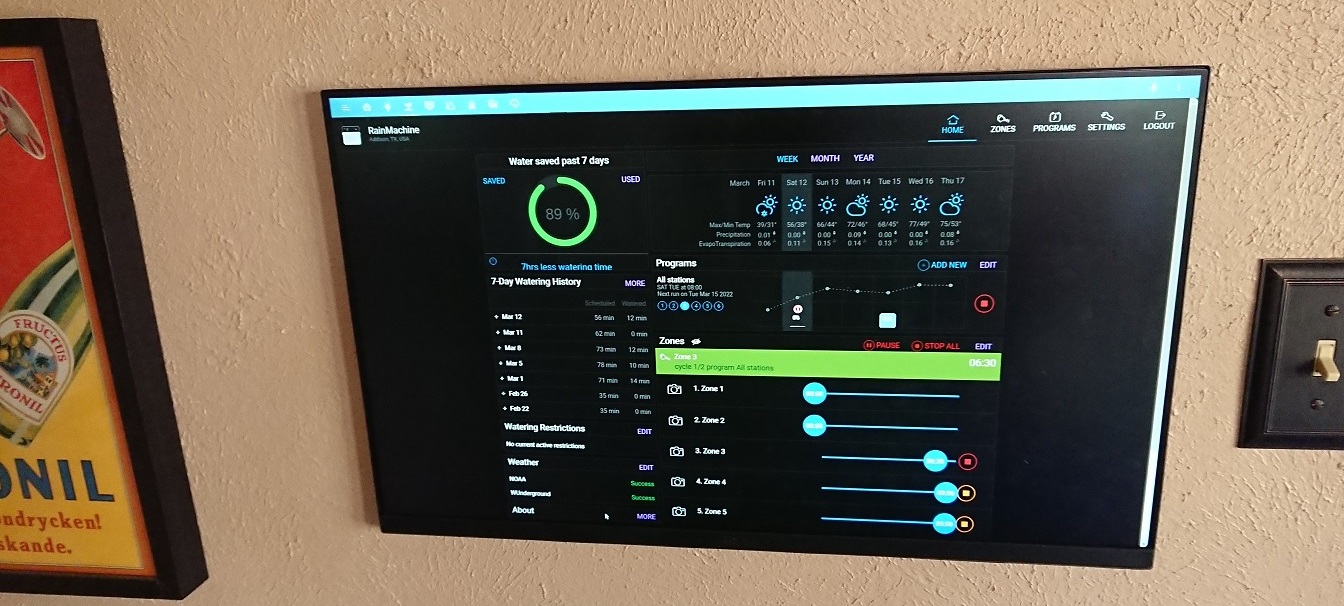
I have succeeded in modifying my mii-8 so there are no more tool tips.For others trying this, be aware that the ssh password is RainMachine not you regular password and you do not need an ssh key to be loaded. Just enable ssh in the
Settings->System Settings (scroll down a ways its near the bottom) and then from a terminal (I am in linux so its a konsole terminal) as root just ssh in and once in just cd to the proper directory as mentioned above and use vi or vim to edit the file. The file is one very long line so you should search for the word visible to find the location, make your change, save it and exit ssh, then reboot the mini-8 and voila! no more tool tips
HTH

Please sign in to leave a comment.
Comments
17 comments