Apple HomeKit integration
Implemented
Would love to see support for Apple's HomeKit
-

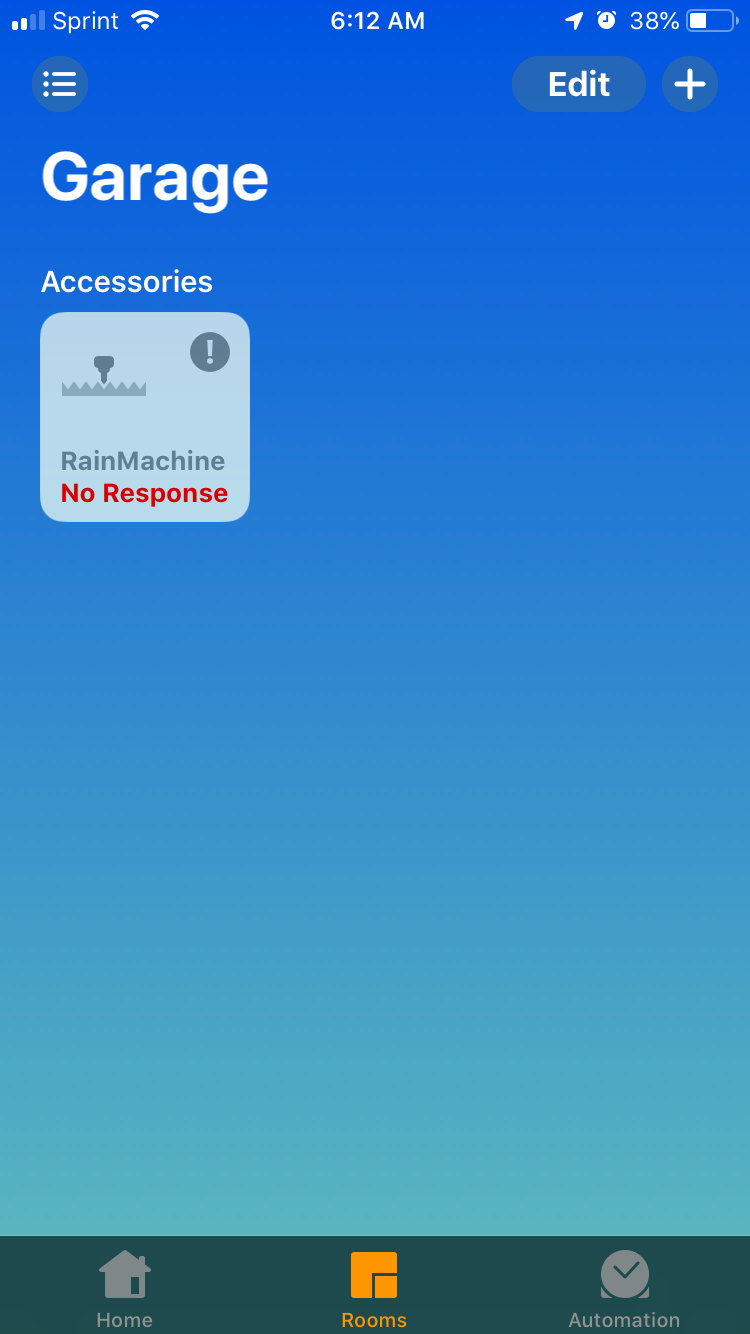
Some initial feedback on the HomeKit beta firmware. While everything installed perfectly and I was able to use the functionality, I'm getting the "No response" status in the Home app even though the Rainmachine is on-line and responsive in its native iOS app. I am forced to "Reboot Device" to restore the HomeKit connection
-

Hi, Mike, Aaron
Can you please do the following:
- enable ssh on your RainMachine Touch HD (read this article to learn how)
- after successfully logged in through ssh, type this command into the Command Prompt (Terminal) window: logcat
- go to RainMachine Touch HD and try to generate the Apple HomeKit code & QR again.
- send us the log that it is generated into the terminal window after you tap on Enter pairing mode
- send it here or use our support contact formular from here.
Thank you for your patience,Julian
RainMachine Support -

Hi Julian I performed those steps (QR code still was not generated) and emailed the logcat output file to tech@rainmachine.com.
-
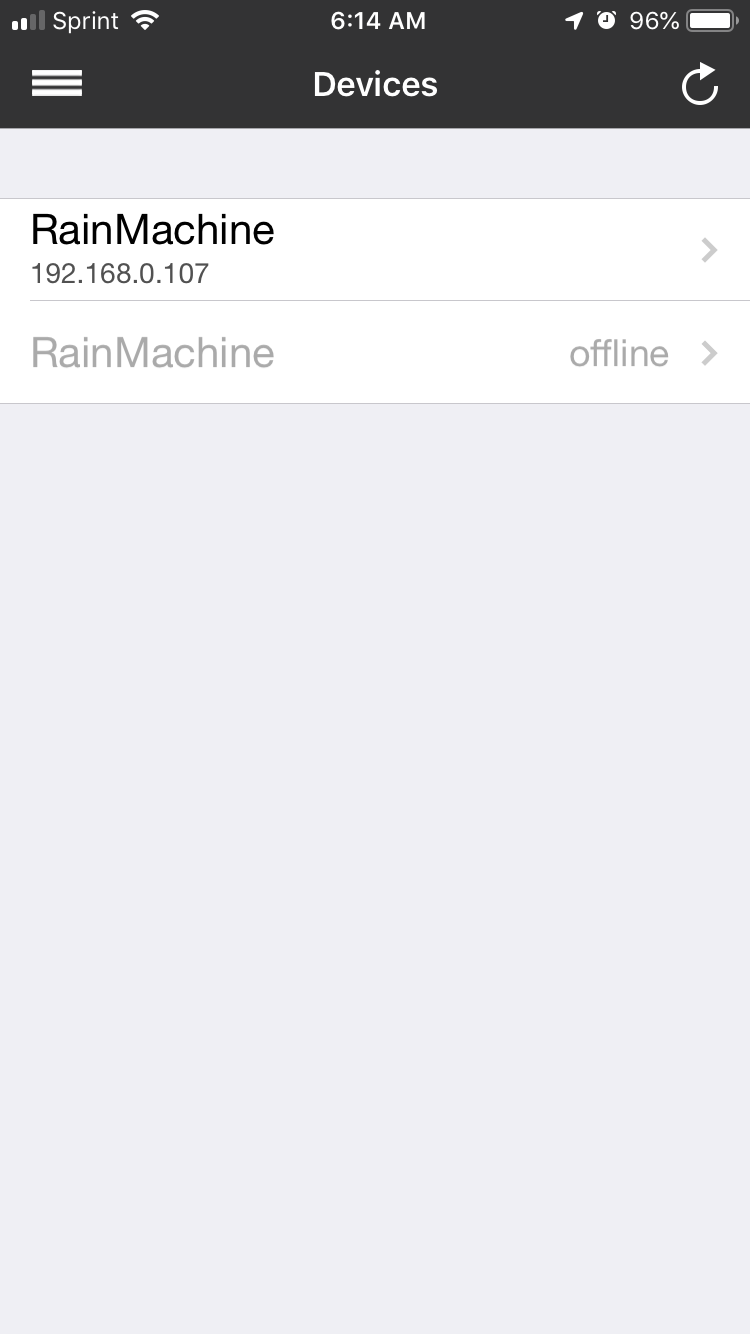
Julian, I'm not experiencing the same issue as Mike. I'm able to setup the HomeKit functionality just fine. The issue I'm experiencing with the beta channel is with the Persistence of the HomeKit connection as I described. What I noticed is that after setting up HomeKit, I see in the native Rainmachine app two instances of my Rainmachine HD-12. The first instance is live and the 2nd instance is offline. Not sure if this may be contributing to the issue. Rebooting seems to force the connection again and it stays connected for a while, then it becomes unresponsive again in HomeKit. I have attached an image.
-
Hi,
@Mike - please try again to generate the Apple HomeKit code on your device.
@Aaron - if you tap on refresh upper right side button the offline device still there? You can tap on it and choose "Forget this device" or you can access the one that is available using the iOS mobile app and go to Settings - System Settings - Advanced Settings - Clear local cache
When you say "Rebooting seems to force the connection again and it stays connected for a while, then it becomes unresponsive again in HomeKit." what do you mean by "unresponsive again in HomeKit"? When you check the RainMachine Touch HD accessory status into the Apple Home app on your iPhone/iPad it has the status "Off" or "No Response"?
You can try to remove the accessory and add it again by scanning the QR code.
Thanks,
Julian
RainMachine Support -
Apple Watch Zone names unreadable. All of the Zone names are prefixed with the "Rainmachine-{generated number}" and you can't even get to the actual Zone Name. My Zones are labeled as defaults (ie Zone 1, Zone 2, etc...). So it should have enough room to display on the Apple Watch if you can get rid of the Pre-Fixed name described above.
-
Hi, Aaron
The naming of your zones is not right. Can you please remove the RainMachine from your Home app and then go and remove the parings and try to add it again?
The zones should be listed inside the Apple Home app as: Zone 1, Zone 2 and so on...
You can also rename the zones inside the Apple Home app as you prefer, but they will not change their name on RainMachine device or RainMachine iOS app. This is a Apple HomeKit issue.
Please let us know how it worked for you.
The feedback is much appreciated!
Thank you,
Julian
RainMachine Support -

Just chiming in, super huge fan of everything RM stands for when it comes to home automation. Just set everything up in the latest iOS Public Beta and it's all working great.
Would love to see the program show up in scenes as mentioned (or if turning on the controller triggers a "default" program, that would be fine too).
-
Hi, Drew
Unfortunately, Apple HomeKit irrigation profile do not support scenes for irrigation HomeKit accessories. We will need to work on finding alternative solution, but for now, there isn't one...We do have a question for you: when you first paired your RainMachine with Apple Home app, do you remember the zones custom names (if you have your zones renamed) being listed into the Apple Home app when you accessed your RainMachine?
Thank you
Julian
RainMachine Support -
Hey Julian,
Truth be told, I ran into issues restoring my backup on the new unit, which would have had the custom zone names. When I first got everything up, HomeKit used the default zone names (Zone 1, Zone 2, Zone 3...). If they were supposed to sync automatically, that definitely didn't happen for me when I finally succeeded in restoring my backup from my Mini-8.
Minor inconvenience, but if there's an option to re-import the device, I'd have preferred that to happen on backup restore, or manually with a button press in the app.
I actually work for a connected home company so I've been through the struggle of designing and building device onboarding and migration. Overall it was pretty seamless experience, although I still wish the cloud account could sync zone images in the future :)
-
Hi, Ron, all
We released a Beta version of the firmware for RainMachine Touch HD-12/16. If you are using the Beta Firmware and you get “No Response” on Apple Home app, then all you have to do is to go to the RainMachine device and tap on Settings - System - Intenet of Things - Apple HomeKit and choose to Enable Apple HomeKit Integration.
The RainMachine will have to reboot. After that, you will not get the “No Response” error in Apple Home app.The Apple HomeKit integration for RainMachine Touch HD-12/16 2nd generation is still in Beta state. The switch is required only for those that would like to use the Apple HomeKit integration. This will not affect the HomeKit pairing in any way.
Thank you for your understanding!
Julian
RainMachine Support -

Hey Julian,
can you update the Beta release notes with the info for the version released yesterday?
https://support.rainmachine.com/hc/en-us/articles/230333608-Beta-Channel-Changes
Thanks
-

We'd like to let you know that future beta update and next stable release will set HomeKit integration by default to Off for RainMachine Touch HD-12/16.
After the update, you will see your paired device with a "No Response" message.
To activate it back you will need to check the "HomeKit Integration" enable switch option accessing the local interface on your RainMachine Touch HD-12/16 devices by tapping on the Settings button, then System > Internet of Things > Apple HomeKit. This enable back step won't affect the existing pairings.
-
Ok so I started from scratch with Home Kit and the RainMachine, I upgraded to the latest version of the beta channel on the rainmachine HD-12 and then started with a fresh Home in the Home App on iOS. Prior to starting the paring on the HD-12, I scanned the available accessories (by selecting the option "Don't have a code or can't scan") and I could see the HD-12 listed with the default name "Rainmachine-17d0e7". I then went through the set-up process on the HD-12 and it worked as expected. The Home App now has an icon labeled Rainmachine and all of the zones defaulted to the names Zone 1. Zone 2, etc.. So far so good.
Then I opened the Apple Watch where the icon is correctly named Rainmachine, but every zone is labeled "RainMachine-17d0e7" - so no change from my earlier post. What I also noticed is that when I invited another user into my home, both their Icon and Zones were all named "RainMachine-17d0e7"
So something is clearly still wrong with the setup. I can't use the Apple Watch as I have to cycle through each zone to determine which is which. I can't have any one else use the Rainmachine by invite as they can also not distinguish between zones.
If you like I can email screen shots of everything, but I really don't want to post them all in the forum as they take up a huge amount of space.
Thanks,
-

Aaron,
I had a similar problem when I first enabled HomeKit support with the previous firmware version. I found that I could rename my HD12s (I have 2) and their stations in the Home app on my iPhone. These names were propagated to the Home app on my iMac and to my spouse's Home app (he is an invited user) on the iMac, his iPhone and his iPad. (The names did not propagate back to the RainMachine app.) The new names were also visible in the Eve app on my iPhone, so I still don't quite understand why they can't be seen in the RainMachine app. I realize that this is not a solution to your problem, but may be a workaround for you so that you can use your Apple Watch.
-
Mitch,
Thanks for the workaround. I changed one character in the default Zone Names and it propagated throughout homekit. I can now see the Zone Name on my Apple Watch.
So looks like the initial set-up gets hosed up with the default names (different than what is in the Rainmachine app), but needs to be immediately changed to reflect what you want them to be, even if you want to use the default names!. This actually works out ok as the limited space on the Apple Watch does not lend itself well to the longer Zone names I have in the Rainmachine App. I have noticed this 2 sets of names in another Homekit lighting app I use, so it must be something specific to the way Apple want to "own" the Home Kit names.
-
Hi, Aaron
"I have noticed this 2 sets of names in another Homekit lighting app I use, so it must be something specific to the way Apple want to "own" the Home Kit names."
Yes, that is true, unfortunately. Currently, Apple HomeKit irrigation profile has this limitation, but you can manually change the zone names to match the ones you set using the RainMachine mobile/web app, or, in your case, with default names to be able to recognize them on your Apple Watch display.Thank you for your understanding and patience.
Waiting for your thoughts after using the RainMachine with Apple Home app or Apple Watch.Julian
RainMachine Support


Please sign in to leave a comment.
Comments
117 comments